Announcing Prompt Library: save, reuse, and share frequently used prompts for Cody
Today, we're introducing Prompt Library to tackle this problem. It will speed up AI adoption in your engineering organization.

Today, we're introducing Prompt Library to tackle this problem. It will speed up AI adoption in your engineering organization.
Through our customers' case studies and our conversations with them, we've discovered that engineering teams that adopt AI in their workflow tend to be about 30 to 40% more productive than the ones that do not. This may seem like a no-brainer, but changing a team's culture and letting them get over the mental hurdle of incorporating AI in their workflow is a significant challenge for many.
In particular, we've heard from many customers and developers that their existing AI tool:
Today, we're introducing Prompt Library to tackle this problem. It will speed up AI adoption in your engineering organization and it will encourage your team to share their knowledge about how to effectively use AI across your specific workflows. That way, every single engineer on your team can quickly get up to speed and leverage AI in a uniform way. Here's how it works:
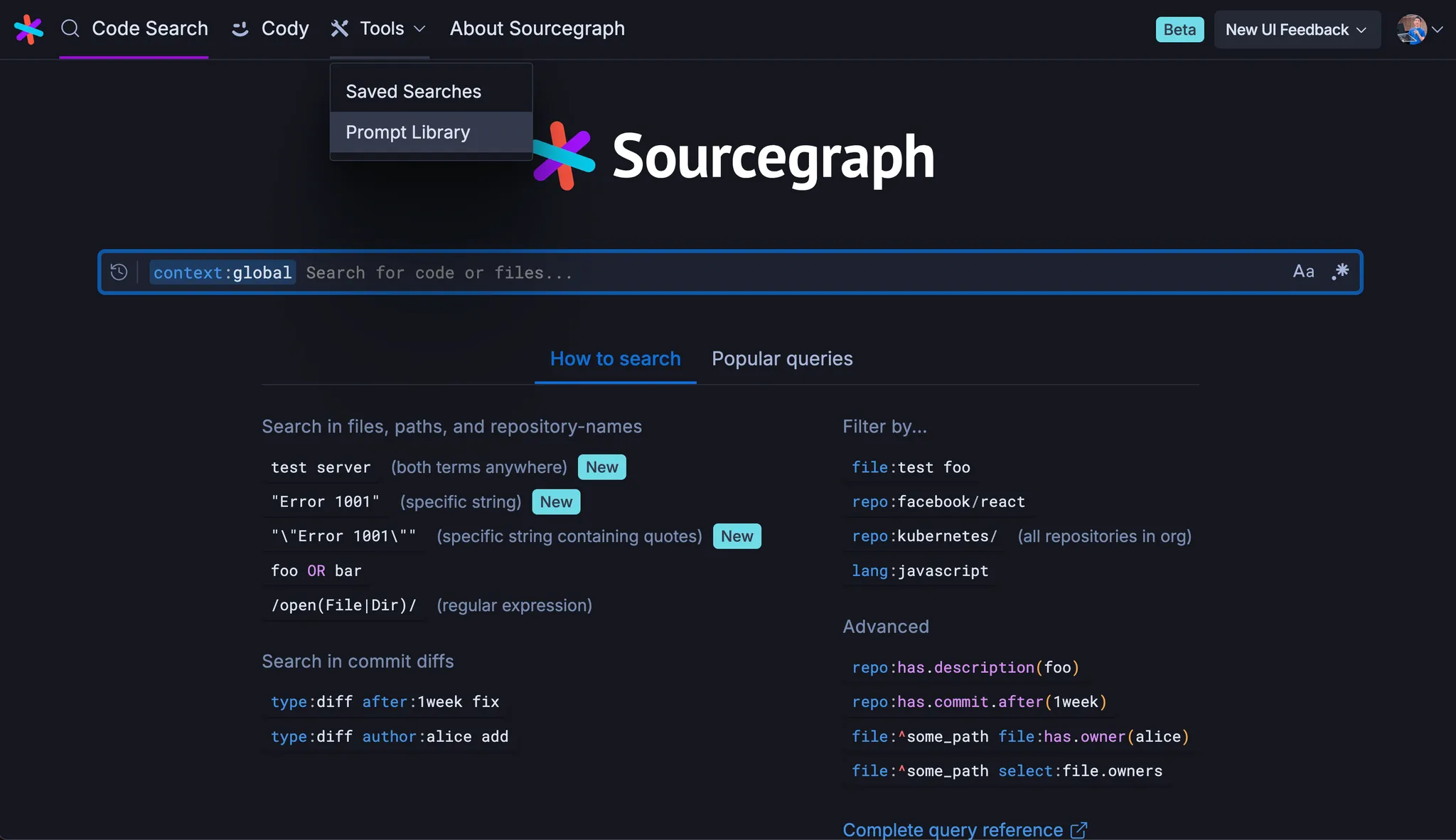

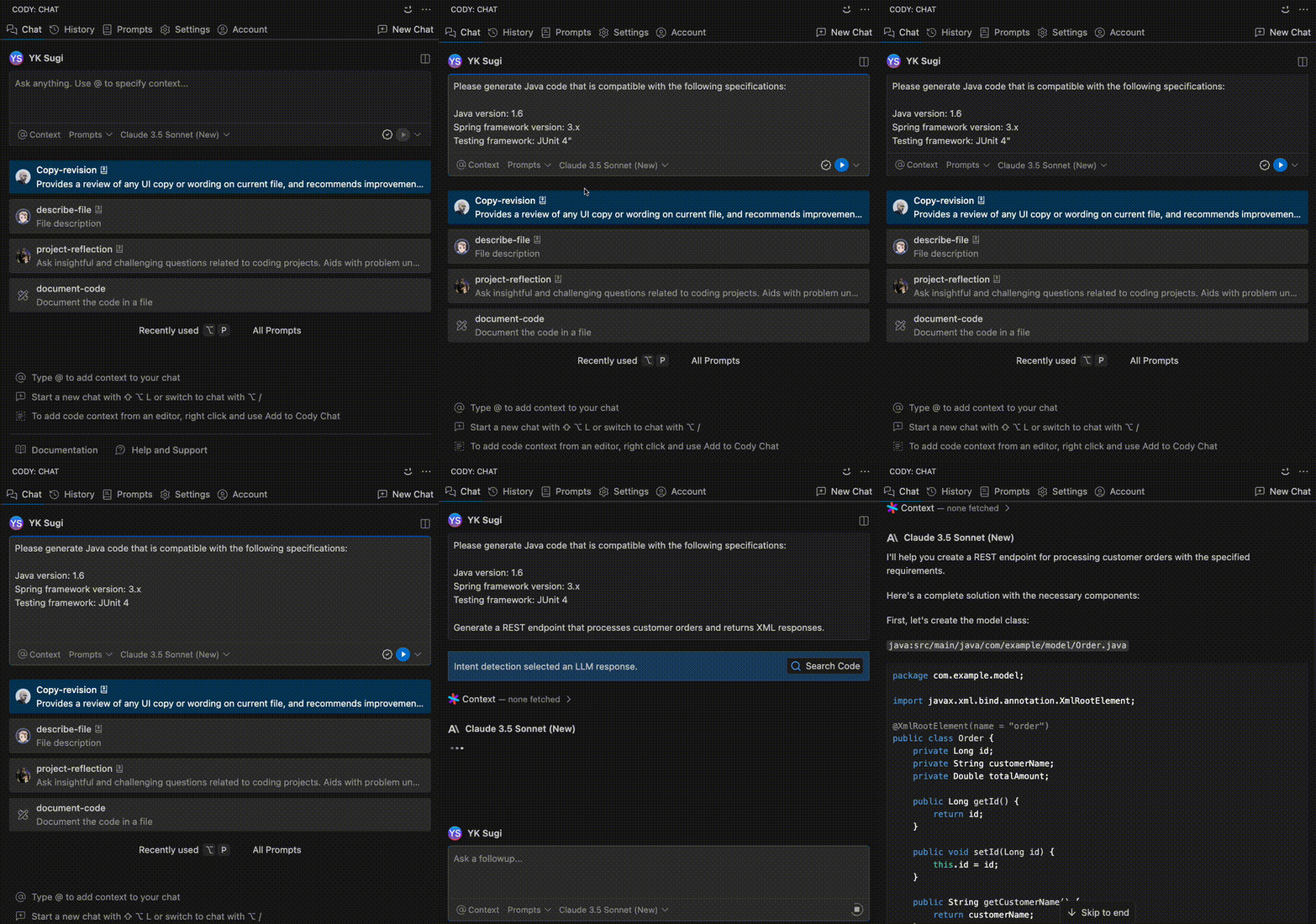
Once you have a prompt created, you can use it via Cody Chat in your IDE. Select your saved prompts, add any necessary details, and run them.

Additionally, from the Prompt Library in the Sourcegraph web interface, you can view your created prompts, and copy a permalink to share it with others.

Let's take a look at three realistic example use cases for the Prompt Library.
Imagine you are working with a legacy Java application that uses an older version of the Spring framework. You might find that Cody is generating code snippets using a newer version of Spring, which is incompatible with your project. For instance, your project is using Spring 3.x, but Cody provides examples using Spring Boot 2.x features, which are not available in your current setup.
import org.springframework.web.bind.annotation.RestController;
import org.springframework.web.bind.annotation.RequestMapping;

@RestController
public class LegacyService {

    @RequestMapping("/legacy")
    public String handleRequest() {
        // This method should use older Spring 3.x annotations and configurations
        return "Handling request with legacy Spring version";
    }
}
To address this, you can create a prompt in the Prompt Library that specifies the framework version you are using. For example:
"Please generate Java code that is compatible with the following specifications:
By sharing this prompt with your team, everyone can ensure that Cody generates code compatible with your legacy system.
Suppose your organization has a specific Python coding style guide that mandates the use of snake_case for variable names and requires docstrings for all functions. However, Cody might generate code that doesn't adhere to these conventions, leading to inconsistencies in your codebase.
def processData(inputData): """Process the input data and return the result.""" processedData = inputData * 2 # This should be snake_case return processedData
To solve this, you can create a comprehensive prompt that instructs Cody to follow your organization's style guide:
"Generate Python code that adheres to our organization's style guide, which includes the following requirements:
This prompt can be shared with your colleagues to ensure consistent code style across the team.
Imagine you are working with Golang and need Cody to generate unit tests that comply with your team's conventions. Your organization follows a specific structure for tests, including the use of table-driven tests and require from the testify package for assertions.
However, Cody might provide a simple test that does not align with your standards:
func TestAdd(t *testing.T) { result := Add(2, 3) if result != 5 { t.Errorf("expected 5, got %d", result) }}
To ensure consistency, create a prompt in the Prompt Library specifying your test requirements:
"Please generate Golang unit tests that adhere to the following conventions:
require package from testify for assertions.When this prompt is used, Cody will generate tests like the following:
func TestAdd(t *testing.T) {
    testCases := []struct {
        name     string
        a, b     int
        expected int
    }{
        {"add positive numbers", 2, 3, 5},
        {"add zero", 0, 5, 5},
        {"add negative numbers", -2, -3, -5},
    }

    for _, tc := range testCases {
        t.Run(tc.name, func(t *testing.T) {
            result := Add(tc.a, tc.b)
            require.Equal(t, tc.expected, result)
        })
    }
}
By saving and sharing this prompt within your team, you ensure that Cody consistently generates tests in the correct format, saving time and reducing review cycles.

Suppose your project is fairly complex and you found a prompt that is helpful for new engineers on your team to learn about how it works and how to set it up.
If that's the case, then you can put it in Prompt Library, share it with your coworkers, and even make it part of your onboarding flow.
@repo tell me about this project and how to set it up.

Cody can be an extremely useful tool not just for writing code, but also for reading and understanding existing code.
Suppose that you came up with this prompt and you found it useful:
@currentFile can you explain how this file works, in particular for the method <replace this with the method name>?
Putting it in Prompt Library can encourage your team to use AI in a way that fits your particular organization's workflow.

If you're an engineering leader, say you'd like to promote more documentation throughout your codebase. You can now promote a documentation prompt that you or your team created so that it shows up at the top of your team's Prompt Library for easy access, encouraging better and more thorough codebase documentation
Please generate a docstring for the given Python function that adheres to our team's documentation standards. The docstring should include: 1. A brief summary of the function's purpose. 2. A description of each parameter, including name, type, and purpose. 3. The return value, including its type and description. 4. Any raised exceptions, if applicable. 5. Example usage of the function, where relevant.

Prompt Library is available starting today. Get started and create prompts for your use cases by visiting the Prompt Library section of your Sourcegraph instance.
If you haven't used Cody yet, you can learn more about it and download it for the IDE of your choice at cody.dev.
Finally, learn all about the various ways to use the Prompt Library from the docs. Want to share your Cody prompt library or prompting best practices? Join our Discord or community forums.

With Sourcegraph, the code understanding platform for enterprise.
Schedule a demo